The Python Environment
Environment Setup: Python
For Python-based projects, you can use Colab or a local setup.
Option 1

Google Colab allows you to write and
execute Python in your browser with zero configuration required, access to GPU's free of charge, and easy sharing. Watch
the Introduction to Colab video to learn more.
Running the Project in Colab
- Sign into your Gmail account.
- Don't have a Gmail account? Sign up for a free account.
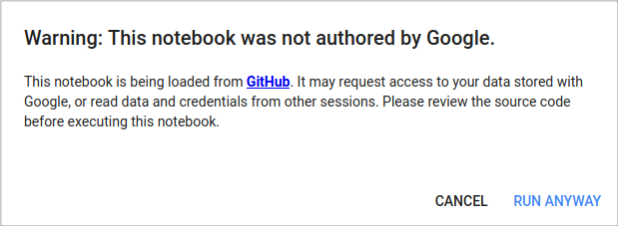
- When you launch a project in Colab and attempt to run a cell, you may see the pop-up below.
- Click Run Anyway to get rid of the warning and proceed.
Test Your Colab Setup
Option 2
There are multiple ways to install Python locally. SciPy's Installation
Page provides excellent instructions for installing on different operating
systems including Mac OS, Windows, and Linux.
- On Mac, you can use MacPorts.
- On Windows, you can install the free version of Anaconda.
- On Linux, you can use your package manager.
Installing Python
- Visit the Python
Downloads to get a compatible version, which for this course is Python 3.6
Installing Python Libraries
Here are the key Python libraries that you will need to install:
- SciPy
- NumPy
- Matplotlib
- Pandas
- Scikit-learn (version 0.20 or higher)
Running the Project Locally
- Open a command line and start the Python interpreter.
python
- You can work directly in the interpreter or write scripts in a text editor and run them on the command line.
Test Your Local Setup
Use this guide to test out your setup for this option: